Positioning in CSS

I am a developer from Lagos, Nigeria. I have gained experience working with a lot of start-up companies in Nigeria. Level 13 crowdsource contributor. Level 5 local guide
There have been little confusions about the position property. There have been misunderstandings on how each position values work. There have been misuse of the position values. Today, I will be shedding more light on the position property, it's values and how they work
Let's first start with the explanation of what it means to position an element
CSS helps you to position your HTML element. All HTML elements can be positioned anywhere on the webpage.
Positioning means:
- where you want an element to be (exact position);
- and how you want it to act with respect to other elements;
You can specify whether you want the element positioned fixed/sticky to the page onscroll and whether absolute/relative to its natural position/its parent element.
The CSS 'position' property sets an element's position type in a document/body of the page, while the exact position is determined by the value of the ( top, right, bottom, and left ). Furthermore, we say the CSS position property sets how an element is positioned in a document. The final/preferred position is now determined by the value of the ( top, right, bottom, and left ) properties.
Now, let's go through all the values of the CSS 'position' properties and explain each one of them
- Static
- Absolute
- Relative
- Fixed
- Sticky
Firstly, for static position
As the name implies, 'static'... something that does not change. Every element has a static position by default. The element will always stick to the normal page flow. For instance, if we set a value for ( left/right/top/bottom/z-index ) property, there will be no effect on that element since it is positioned static. As the user scrolls down, it moves up and vice versa. That is, it moves with the flow of the page.
Secondly, we have the absolute position
An element with position: absolute; is positioned relative to the positioned parent element. But if an element positioned 'absolute' has no positioned parent element, it assumes the document body to be its parent element. Therefore, it is positioned relative to the document body and moves along with the page onscroll More explanation to this is,
A text inside a div is positioned at the top left corner on default
Image image image image
If the text is positioned to be absolute, there are four conditions i can relate to, to this explain further
Assuming we a have a text (element) and a div (parent element) which is it's not positioned,
- Without position the parent div we positioned the text to be absolute, it still takes the normal position because we haven't set any value to the position
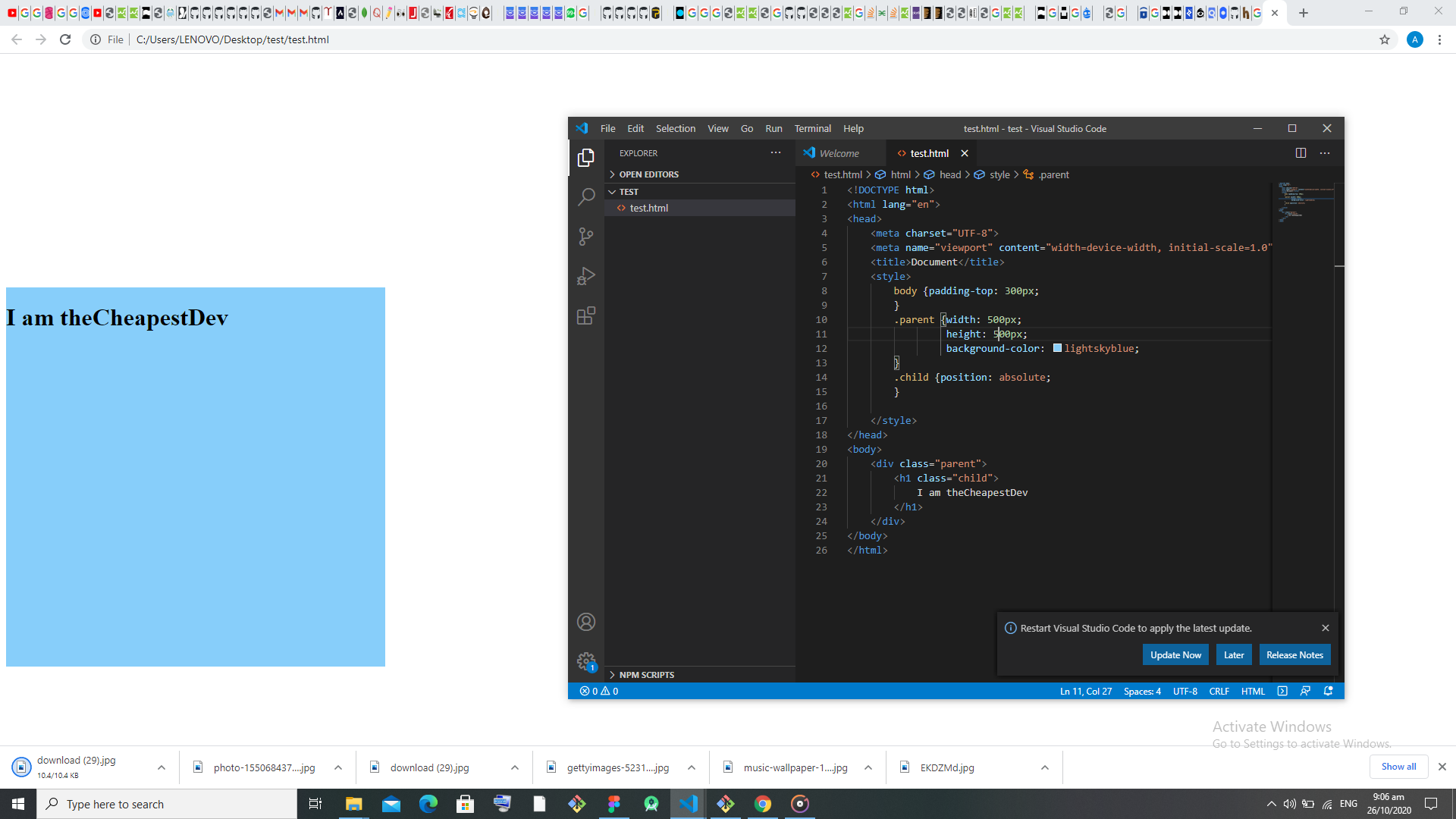
- Without positioning the parent again, we now give the text position a top value of 40, the text..... something amazing happens, what??
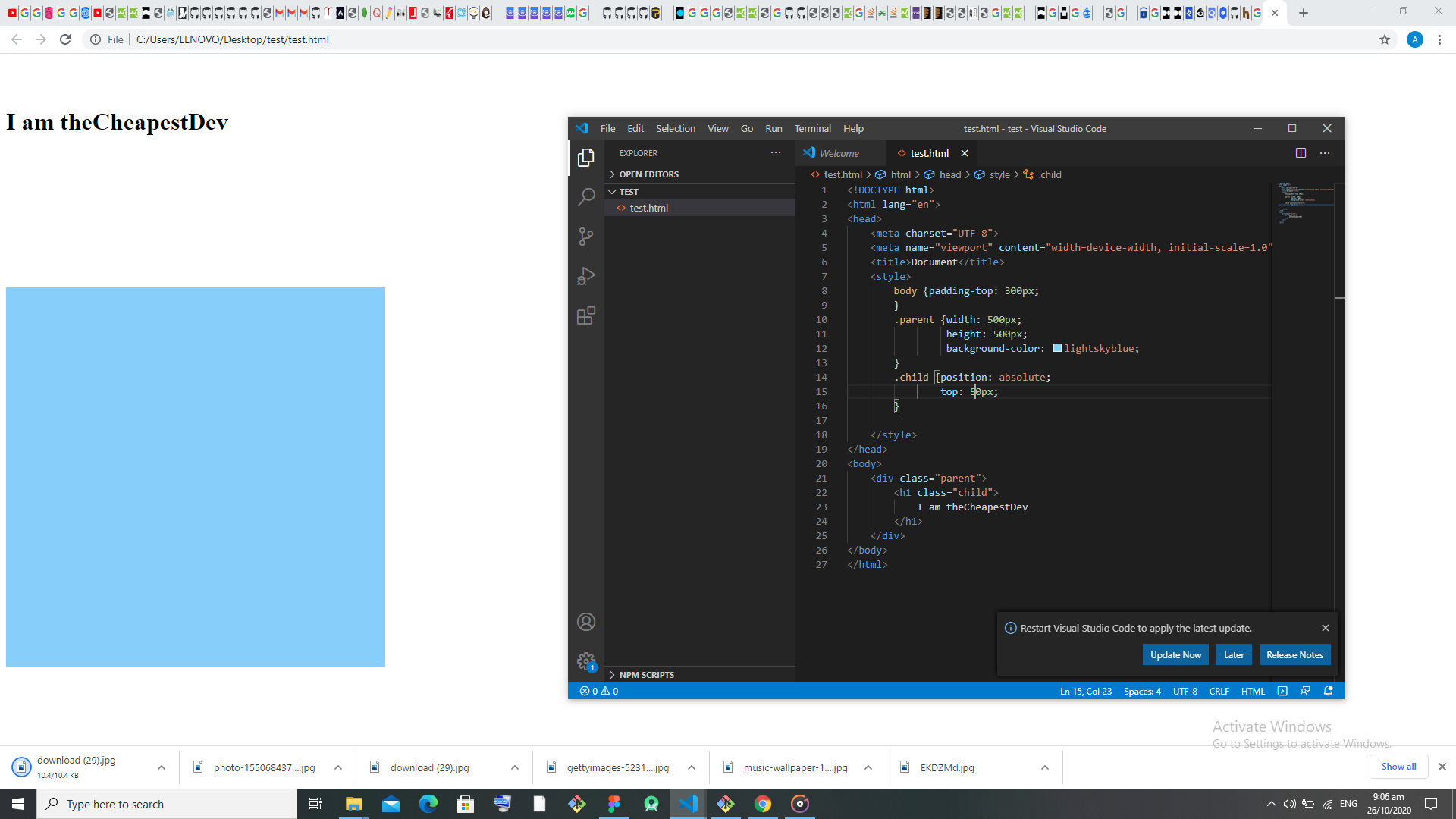
The text forgets it has a parent and assumes the document body to be the parent, the 40px top value counts from the top of the page I'm not surprised because you can't see otedola (ferrari zaddy) as a parent and pick your parent
Yes!! you!!!......the poor little text also left his parent for another parent because of more assets(space) 😅......Have that at the back of your mind, that's absolute
- The third condition is, if the parent element is positioned to be absolute too, the text now returns back inside the div and moves relative to the parent div and the parent div moves relative to the body
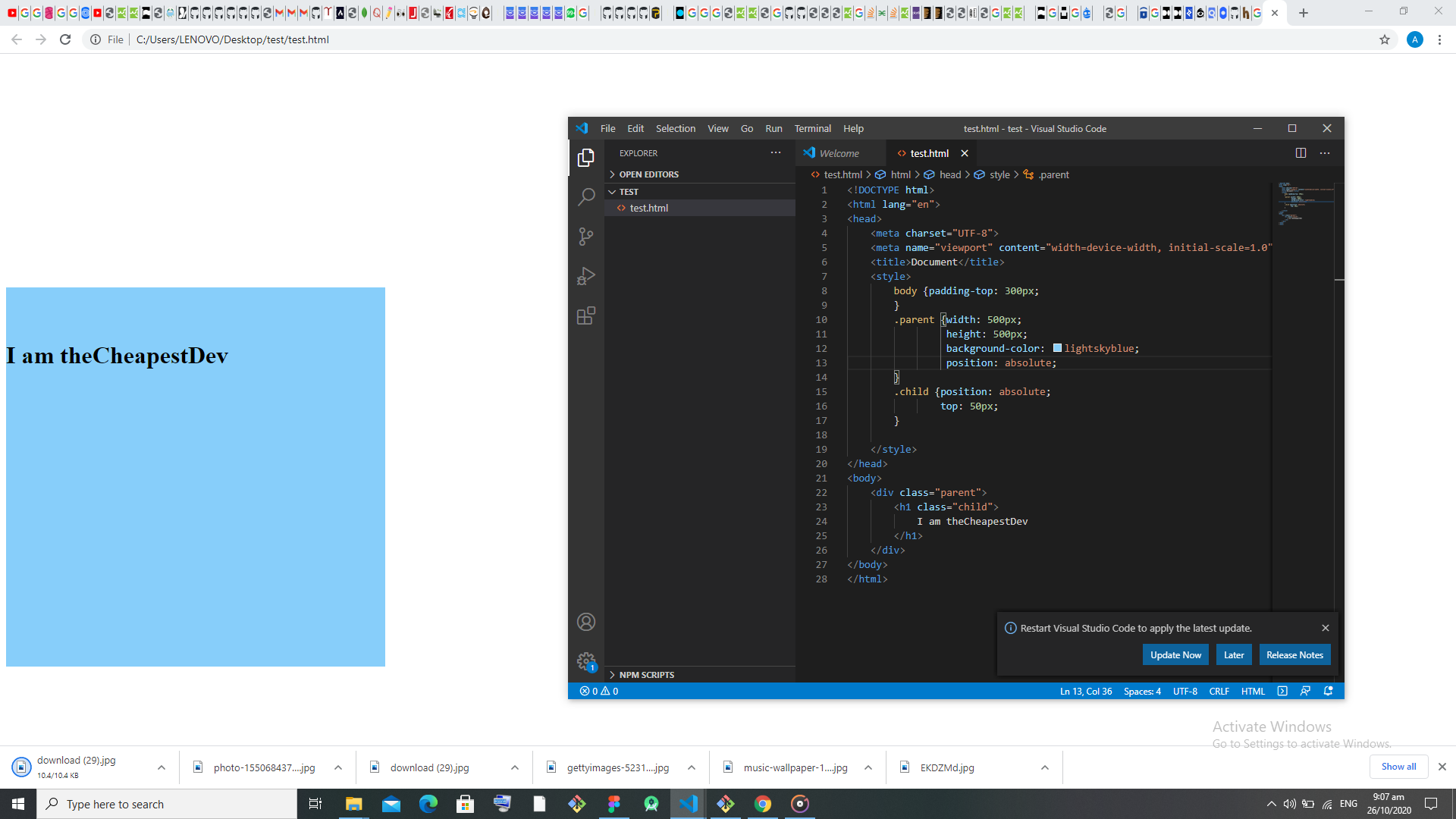
the poor little text now comes back to his parent because they all seem to be under Otedola now and he seems to love his parent more
- And if a value is set to the parent div too, only the parent div moves(absolute to the page), the text still acts with respect (relative) to the parent div
Thirdly, we have the relative position
An element with position relative is positioned relative to its normal position. The normal flow of the element is the position it is before adding the property, position: 'relative' (let's call it r-position) ......then adding the properties ('top, right, bottom, and left') to it makes it move with respect to the r-postion it was initially. The simple reasoning behind relative is, a relatively-positioned element is adjusted away from its normal position (r-position) relative to the values of ('top', 'left', 'bottom', 'right') property. Also, other content will not be adjusted to fit into any gap left by the element.
Fourthly, we have the fixed position
As the name implies 'fixed', something that does not move, right? Yeah. An element with position: fixed; is positioned relative to the viewport, which means it is always in a fixed position, that is, it stays in the same place even if the page is scrolled or not. The ('top', 'right', 'bottom', and 'left') properties determines where the element's position is fixed relative to the viewport. NB: A fixed element does not leave a gap in the page where it would normally have been located.
Lastly, we have the sticky position
Sticky is positioned based on the user's scroll position. A sticky element toggles/changes between relative and fixed with respect to the value set to ('top', 'left', 'bottom', 'right') property. depending on the scroll position. An element is initially positioned relative (its default postion) until it gets to the values set, then it changes to fixed. That is, the element is positioned relative till given offset position is met in the viewport - then it "sticks" in place (like position:fixed).
Ooops! Ooops!! Ooops!!!
That's all on the 'position property' but one thing i want us to know is, postioning an element is not only about the position property. There are other properties you can use to position your element, like; text-align: center; justify-content: center; margin, padding......and all.
I edited someone's code last month and all the element on that page was positioned either absolute or relative, even texts that are meant to be text-align: center were also positioned absolute. So absurd. One of the reasons that prompted me to write this and my students I will shed more light on other ways to position in my next article.
Thanks for reading